


Search and filters
Search
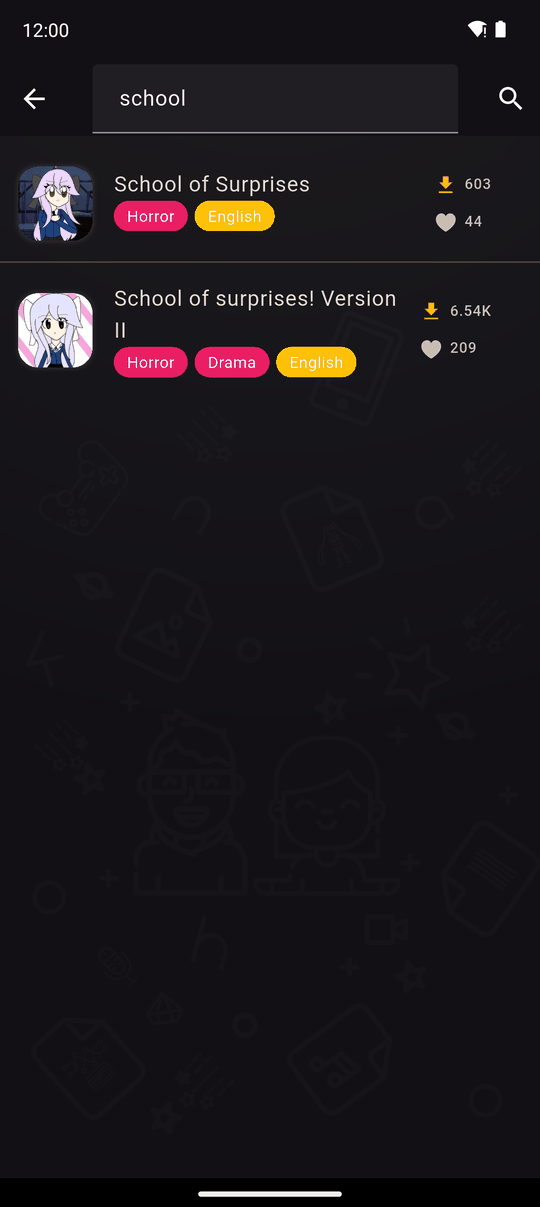
Tap the search icon on Home and type. Search matches a novel's title or its creator's name, so you can look up a novel you heard about or every novel by someone you like.
- Recently searched shows your latest searches so you can repeat one with a tap.
- Clear all removes that history.
- If nothing matches you will see No novels match these filters.
All Novels and filters
All Novels lists every published novel, not only the ones in your app language. Two dropdowns narrow it down:
| Filter | Options |
|---|---|
| Genre | All genres, or one of Action, Comedy, Drama, Fantasy, Horror, Other, Romance, Slice of life, Supernatural |
| Language | All languages, or any language at least one novel is available in |
Genres and languages only appear in the dropdowns if at least one loaded novel has them, so you never pick an option that leads to an empty list. When a filter is active a Reset filters button clears both. The list loads in pages; tap Load more to see more.
Genres
Creators tag each novel with one or more genres when they upload it. The genres are: Action, Comedy, Drama, Fantasy, Horror, Other, Romance, Slice of life and Supernatural.
Last updated: