


In-game settings
Open Settings from the menu while reading, or from the start screen. These settings belong to the reader (you), not to the novel.
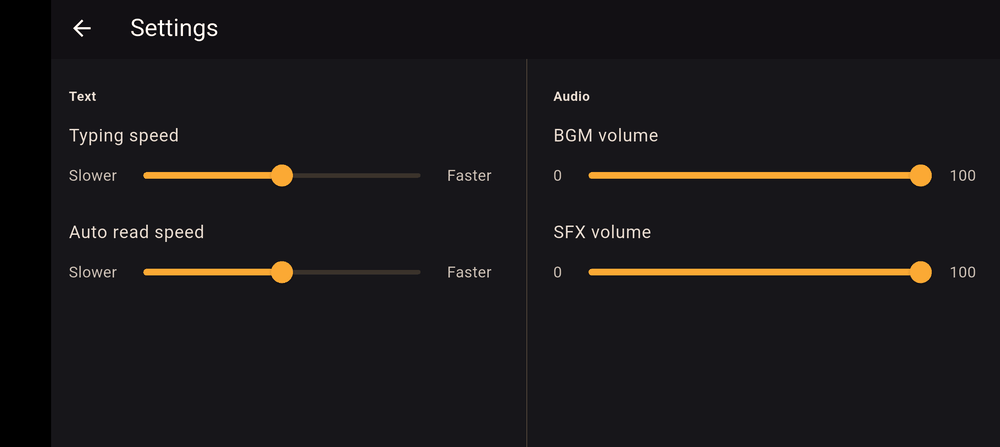
Text
| Setting | What it does |
|---|---|
| Typing speed | How fast a line types out, from Slower to Faster |
| Auto read speed | How long Auto waits before turning the page, from Slower to Faster |
Language
If the creator added translations, Language lets you read the novel in another language. Original language switches back to the language the novel was written in. See Translations for how creators add them.
Audio
| Setting | What it does |
|---|---|
| BGM volume | Overall volume of the background music |
| SFX volume | Overall volume of sound effects |
These sit on top of the volume the creator chose for each sound, so setting the slider to zero mutes it.
Credits
Credits shows the people who made the novel and, at the end, a Developed with line for Kohana.
Last updated: