


Comments, likes, follows and reports
Most social features need a Kohana account. Without one, the app says Login is required to perform this action. See Account.
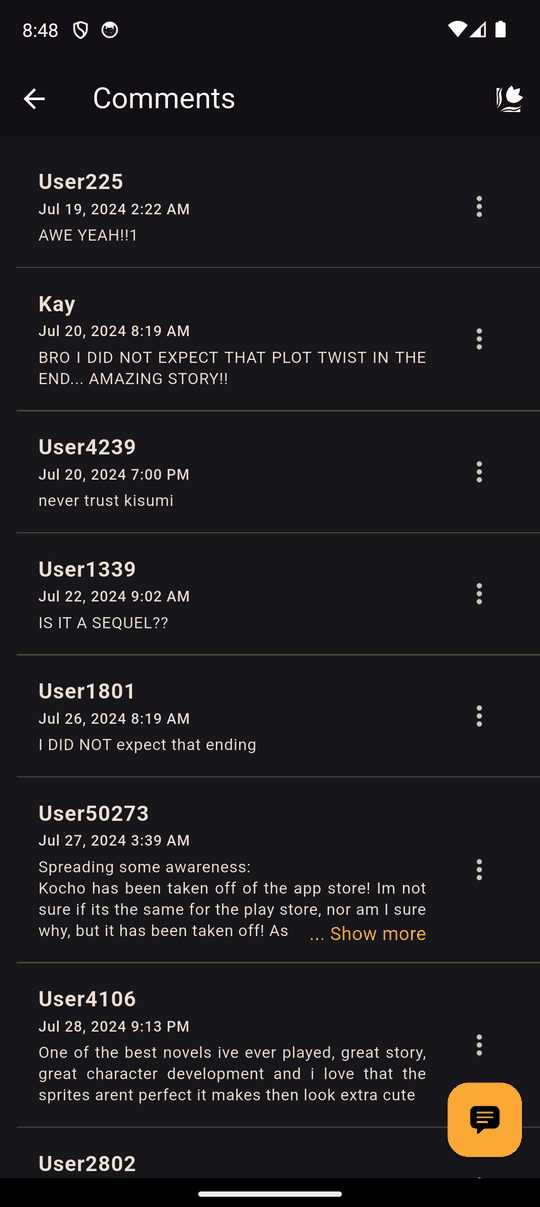
Comments
Tap the comment bubble on a novel's page to read comments and add your own.
- Long comments show Show more and Show less.
- You can delete your own comment with the bin icon.
- You can report someone else's comment from its menu if it breaks the community guidelines. You'll be asked to confirm.
Likes
The heart on a novel's page likes it. Tap it again to remove your like.
Following creators
The bell on a novel's page follows that creator. Kohana then notifies you when they publish a new novel (you can turn these notifications off in Notifications). Tap the bell again to Unfollow. To see and manage everyone you follow, open Settings > Notification Settings > Following.
Reporting a novel
The flag icon on a novel's page reports the novel. You can add an optional reason. Reports go to the Kohana team, who review them. See the Community Guidelines for what is and isn't allowed.
Last updated: