


Wait
The Wait action pauses the story for a set time and then continues by itself. Use it to control pace.
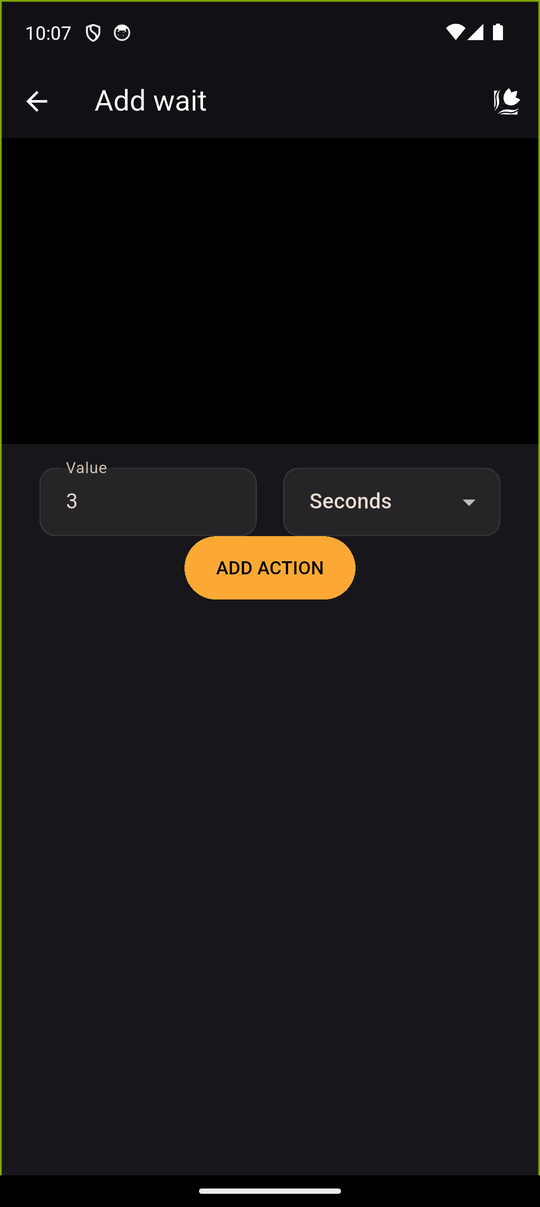
Settings
| Setting | Details |
|---|---|
| Value | A whole number greater than 0 |
| Unit | Seconds or Milliseconds |
For example, 2 Seconds, or 500 Milliseconds for half a second.
In the player
The text box is hidden while waiting and the reader can't tap ahead. Everything else on screen stays as it is, then the next action runs.
Good uses
- Between texts to add suspense.
- Between characters to animate them, for example one enters, a short wait, then the next one.
- After scenery so the reader can take in the new background.
Tips
- Waits are fixed and not affected by the reader's Auto or Skip settings, so keep them short. A long wait can feel like a freeze.
- Combine a Wait with SFX that has Hide text boxes for a dramatic beat.
Related
Characters · Scenery · Text
Last updated: