


Set random value
The Set random value action puts a random whole number into a variable. Use it for dice rolls, luck, and unpredictable events.
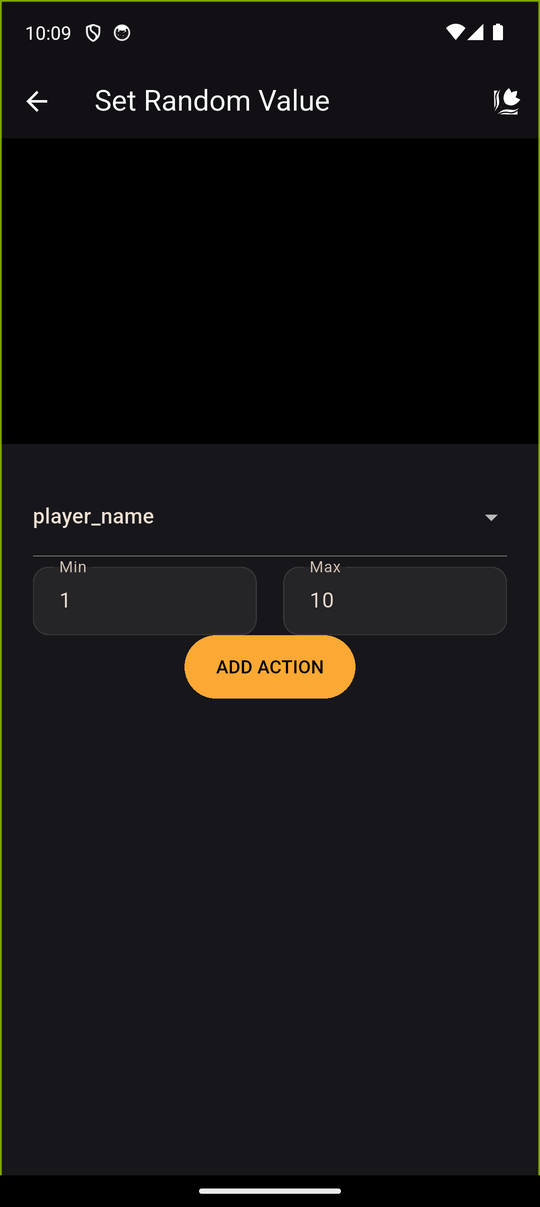
Settings
| Setting | Details |
|---|---|
| Variable | The variable to store the number in: pick one (Select a variable) or create New variable (Variable name) |
| Min and Max | The lowest and highest number it can be. Whole numbers only, and negatives are allowed |
Both Min and Max can be rolled. Min 1 and Max 6 gives 1, 2, 3, 4, 5 or 6, like a die.
Using the result
The number is stored each time the action runs, so it changes on every playthrough. Then:
- Test it with a condition, such as
roll >= 4, to branch the story. - Show it in a line with text variables, such as You rolled a [roll]!
Tips
- Add a Wait before the result for suspense.
- Max can't be lower than Min. The editor won't accept it.
- Remember that loading a save restores the earlier value, so a reader cannot re-roll simply by loading.
Related
Variables · Conditions · Modify variable
Last updated: