


Workshop settings
These options change how the editor behaves. They are under Workshop in Settings.
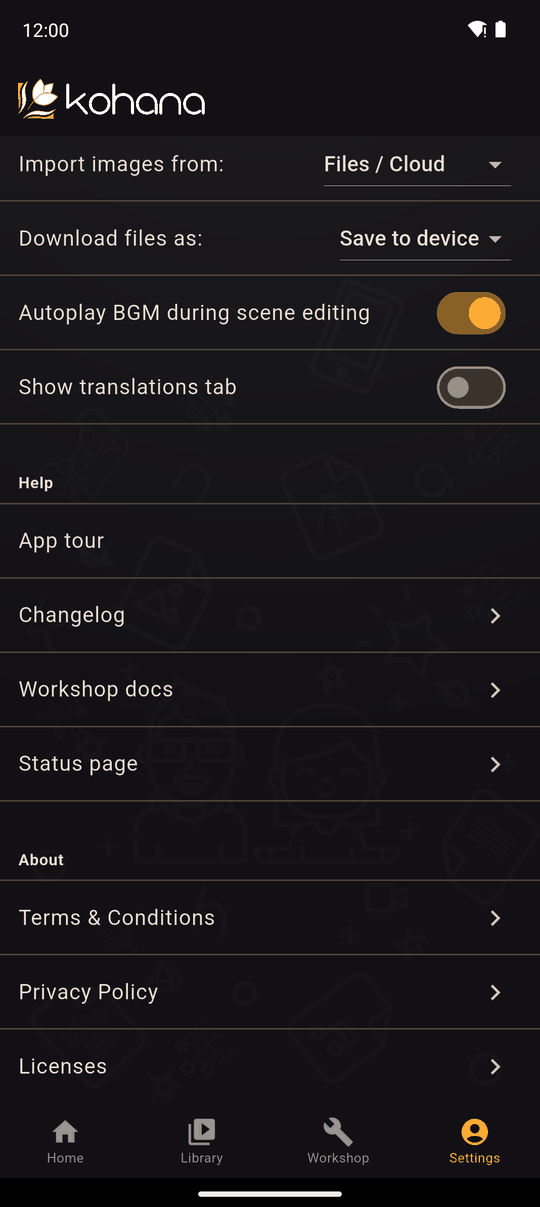
Import images from
Where the file picker looks when you add a picture (characters, scenery, icons, banners and so on).
| Option | Picker |
|---|---|
| Files / Cloud (default) | Your device's files and any cloud storage app you use, such as Google Drive or iCloud |
| Photos / Gallery | Your photo library |
Audio and video always use the files picker. See Importing images, audio and video.
Download files as
Android only. Decides what happens when Kohana makes a file for you: a backup, a .koha package, an exported app or a translation file.
| Option | What happens |
|---|---|
| Save to device (default) | A save file screen opens so you choose where to keep the file |
| Share | The share sheet opens, so you can send it to another app |
Some phones' share sheets have no "save" option, which is why saving is the default. On iPhone and iPad the share sheet is always used, and it has Save to Files.
Autoplay BGM during scene editing
When on (the default), the background music for the selected action plays as you move around the scene editor. Turn it off if you don't want music while editing.
Show translations tab
The TRANSLATIONS tab is hidden until you turn this on. It's off by default because most novels don't need it. See Translations.
Related
Settings overview · The editor's tabs
Last updated: