


Home tab
The Home tab is where you find novels made by other creators. It needs an internet connection; without one it shows a "could not connect" icon.
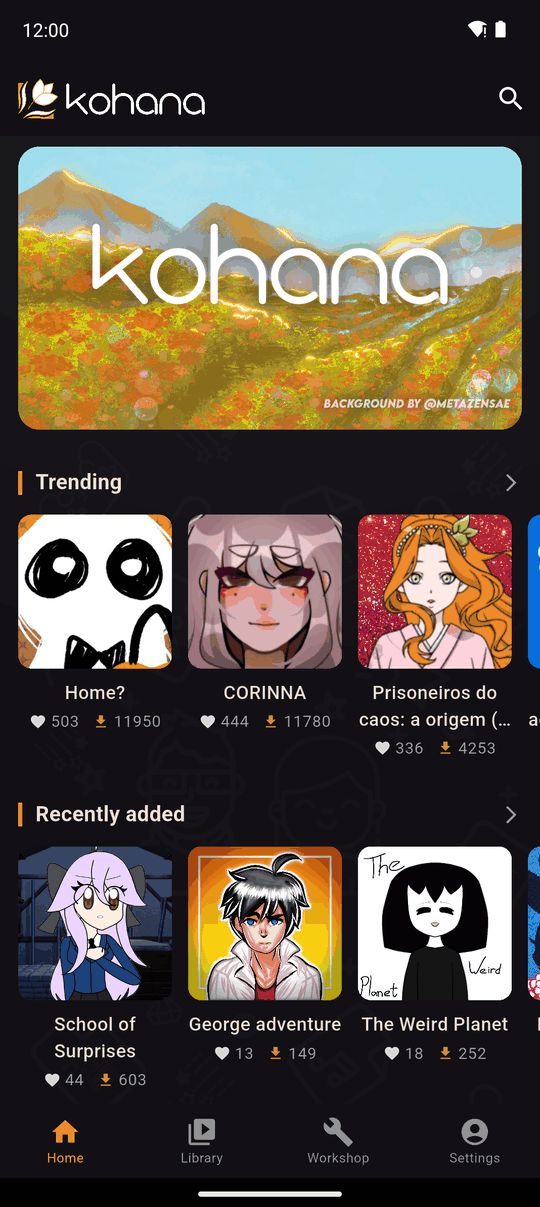
What is on it
- Carousel: a banner at the top with featured items. Tapping one opens what it links to.
- Trending, Recently added and Popular: three rows of novel covers. Scroll a row sideways and tap a cover to open the novel's page.
- All Novels: a button at the bottom that opens the full list, with filters. See Search and filters.
- Search: the search icon at the top. See Search and filters.
Which novels you see
Home lists novels that are available in your app language, so a novel that has no version in your language does not appear in the rows. Use All Novels to browse everything, in any language.
Freshness
Home refreshes its data about every ten minutes. If you have just seen a novel appear on the website and it is not on Home yet, wait a little and reopen the tab.
Opening a novel
Tap any cover to open the novel's page, where you can read its description, download it and play it.
Last updated: