


Scenery
The Scenery action changes the background of the scene.
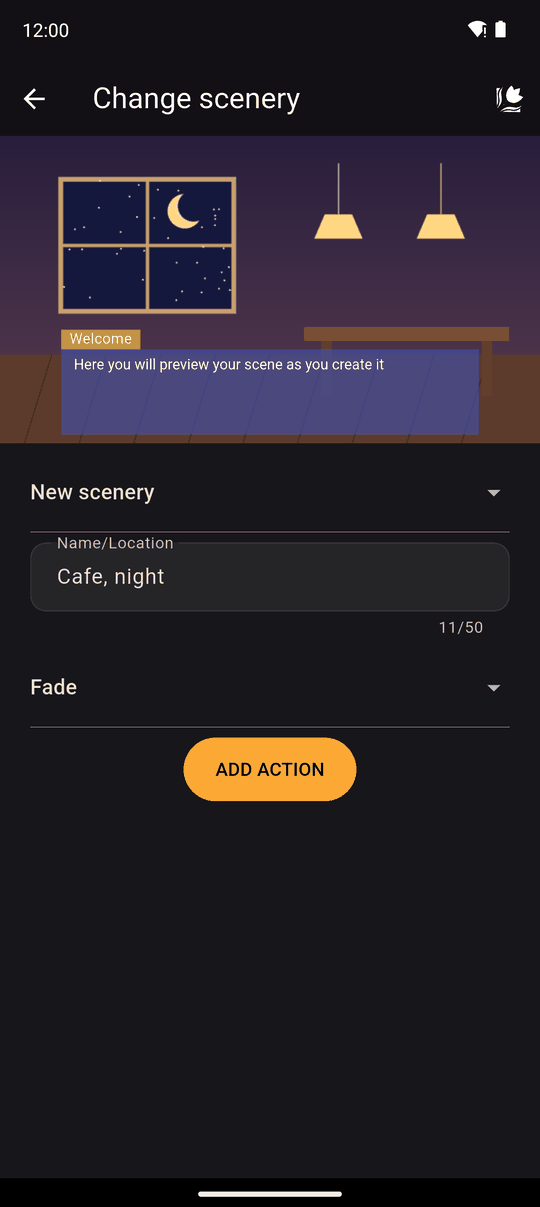
Supported image formats: PNG, JPG, JPEG, GIF, BMP, WBMP and WEBP.
Settings
| Setting | Details |
|---|---|
| Scenery | Pick an existing one (Select a scenery) or choose New scenery, name it (Name/Location) and pick an image from your device |
| Transition | Fade, Wipe right, Wipe left, Wipe up, Wipe down or No transition |
In the player
The new background replaces the old one using the transition you chose. A scenery change with a transition hides the text box while it plays, so use a Text action afterwards to say something about the new place.
With No transition, the change is instant. If the new scenery is the same as the current one and there is no transition, nothing happens.
Characters stay on stage across a scenery change. Clear them first with an empty Characters action if they should not be there.
Tips
- Give sceneries place names (School roof, evening). You will pick them from a list many times.
- Use the same image size for all your backgrounds so wipes and fades look consistent.
- Put a Wait after a scenery change if you want the reader to take in the new place before the first line.
Related
Scenery tab · Importing images, audio and video · Characters action
Last updated: