


Novel options
Open the menu on a novel in the Workshop to see its options.
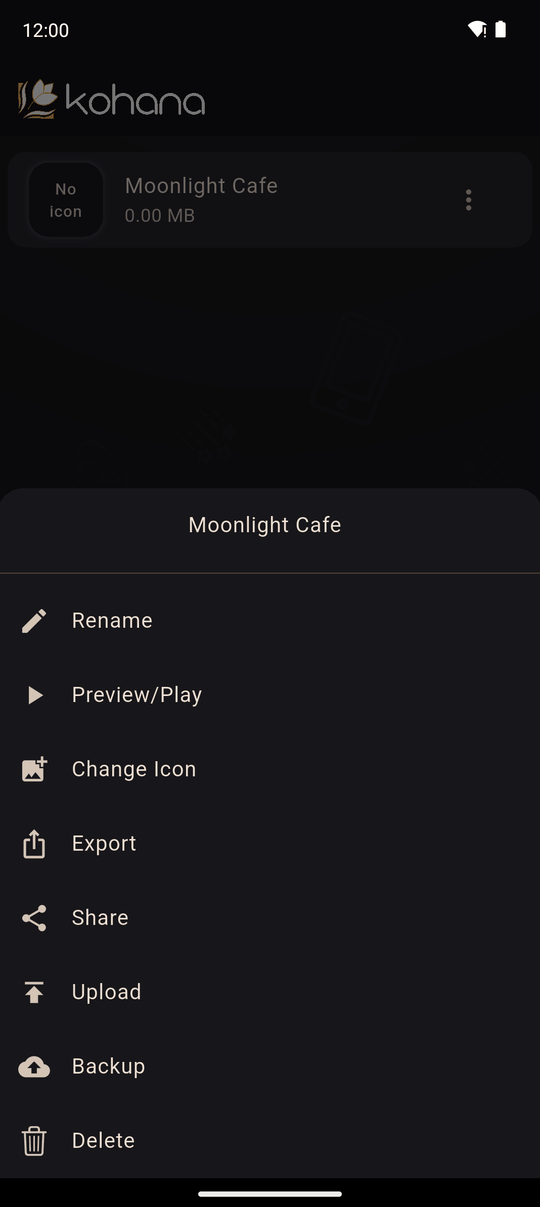
| Option | What it does |
|---|---|
| Rename | Change the novel's title (titles must be unique among your novels) |
| Preview/Play | Play the novel from the beginning as a reader would. See Previewing and testing |
| Change Icon | Set the novel's cover icon. The bin icon removes it. An icon is required to upload or export |
| Export | Make a play-only .koha package, or build the novel as an Android app, a web version or a Windows program. See Share a package and Export |
| Share | Create a private link that anyone can use to play. Needs Premium. See Private share links |
| Upload | Submit the novel for review so everyone can find it. Needs an account. See Upload for review |
| Backup | Save an editable .kohab copy of the whole novel. See Backup |
| Delete | Remove the novel from your device, after you confirm |
The icon
The icon is the small square picture shown for your novel in lists. Pick it with Change Icon. Without one, the app shows a placeholder and refuses to upload or export the novel (The novel needs an icon before it can be uploaded / exported).
Deleting
Delete removes the novel and everything in it from your device. There is no recycle bin, so back it up first if you might want it again.
Last updated: