


Settings
Open Settings from the tab bar. What you see depends on whether you are logged in and whether you have Premium.
Everything in Settings
Top of the screen (account)
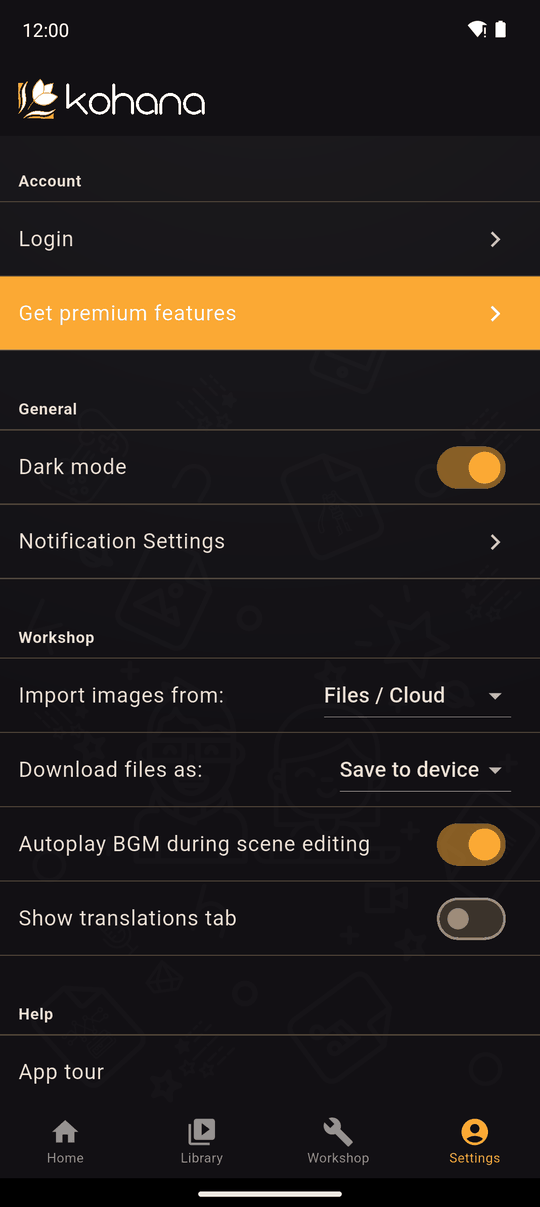
| Row | What it does | Shown when |
|---|---|---|
| Login | Log in or create an account. See Log in | Logged out |
| Your account. Opens the Account screen | Logged in | |
| Manage subscription | Opens your store's subscription page. Shows Valid until… | You have Premium |
| Export requests | Your app exports. See Export requests | You have Premium |
| Homepage Upload Status | Your submitted novels. See Upload status | You have submitted a novel |
| My Shares | Your private links. See Private share links | Logged in |
| Get premium features | Opens the Premium plans | Logged out, or logged in without Premium |
General - Dark mode, and Notification Settings. See General and Notifications.
Workshop - Import images from, Download files as (Android), Autoplay BGM during scene editing, Show translations tab. See Workshop settings.
Help - App tour, Changelog, Workshop docs, Status page and Privacy Choices. About: Terms & Conditions, Privacy Policy, Licenses and Special thanks. See Help and about.
Logout is at the bottom when you are logged in.
Where are the reader's settings?
Settings for reading (text speed, Auto and Skip, volume, language) are inside a novel, in its play menu, not here. See Player settings.
Offline
Without an internet connection Settings still works, but anything that needs Kohana's servers (login, Premium, uploads, shares) is unavailable. The account rows explain this, for example You're offline: Could not connect to the server to login or verify identity. Premium features are not available while offline.
Related
Last updated: